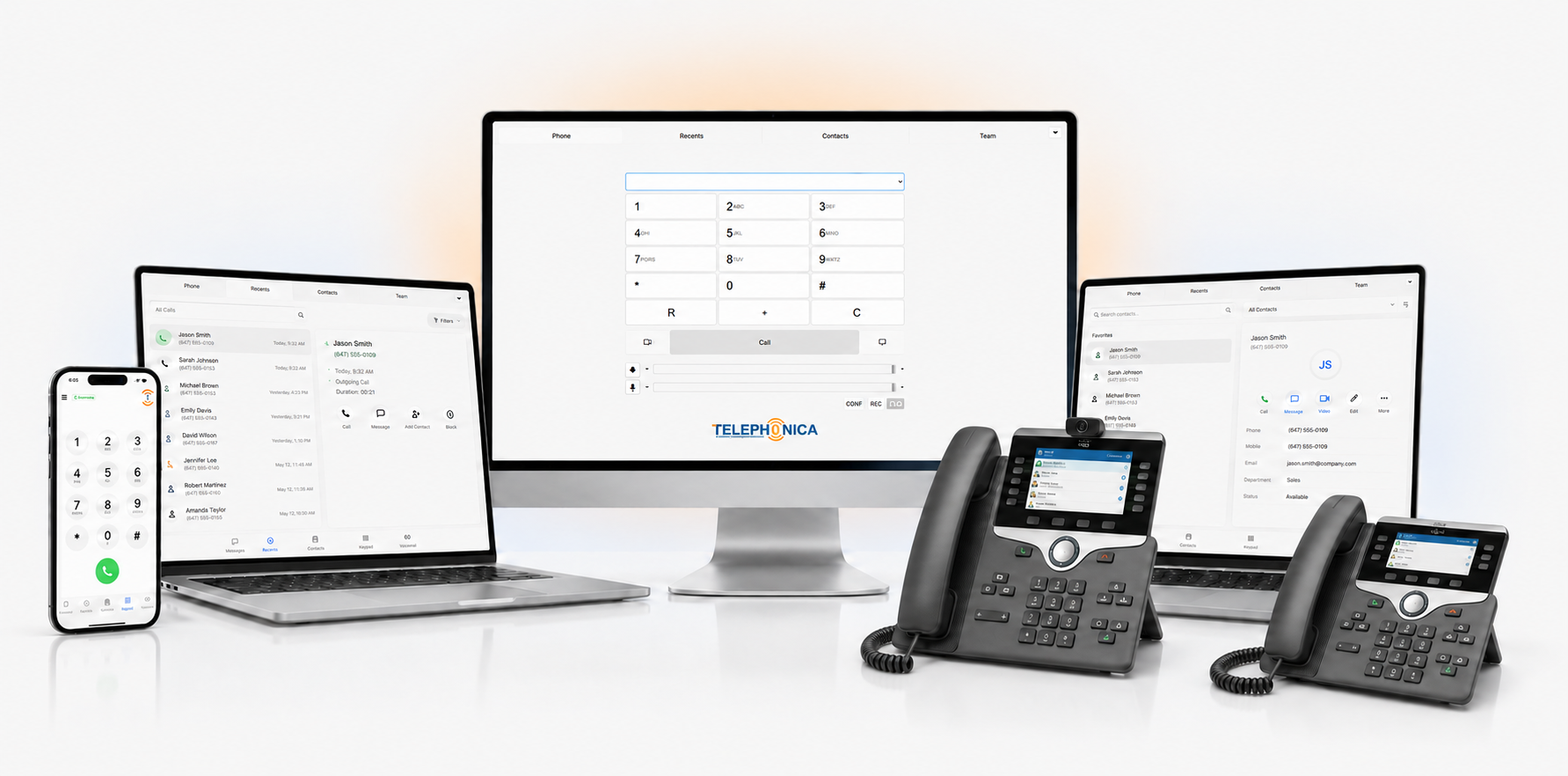
All calls, chats, and SMS in one place
HD video meetings on any device
Instant notifications for new activity
Send docs and images securely
Easily move calls between devices
Listen and manage voicemails in-app
Record conversations with one tap
Auto-sync business and mobile contacts
Available on iOS, Android, desktop
See team availability in real time
Chat with Telephonica help anytime
Personalize with quick-access tools

The Telephonica App brings business calls, messaging, video and collaboration tools into one application. Use it to stay connected with customers and colleagues in the office, at home or on the move. Download links for iOS, Android and Windows are available above.
The Telephonica App is a business communications app that connects your team to Telephonica services from a mobile device or Windows computer. It provides a single place to manage conversations, access voicemail and see team availability. Features available to each user depend on their service, device and account configuration.
For Canadian businesses and distributed teams, a shared communications app can help sales staff follow up with customers and help colleagues coordinate across locations. Confirm the features included in your account before planning your team's workflow.
Need a service plan? Explore Telephonica pricing plans or get started with Telephonica. Existing customers can contact Telephonica Support for help with installation and account access.
Select a question to view the answer.
Use the download buttons on this page to open the iOS App Store listing, the Android Google Play listing or the Telephonica Windows installer.
This page provides downloads for iOS, Android and Windows. Check the relevant app listing or ask Telephonica Support about compatibility with your device and operating system version.
Follow the account activation and sign-in instructions supplied by Telephonica or your business administrator. If you have not received your setup details, contact support before attempting to configure the app.
Installing the app and selecting a business communications service are separate steps. Review Telephonica's pricing plans and confirm the service and features required for your team.
The app supports business communication from mobile and desktop devices, helping teams stay connected across work locations. You need an internet connection and a correctly configured account to use your enabled communication features.
Check your internet connection, microphone access and notification settings, then contact Telephonica Support if the issue continues. Include your device type, operating system and a description of the problem so the team can help.
Copyright 2007-2026 © Telephonica Inc.. All Rights Reserved.
We Accept: